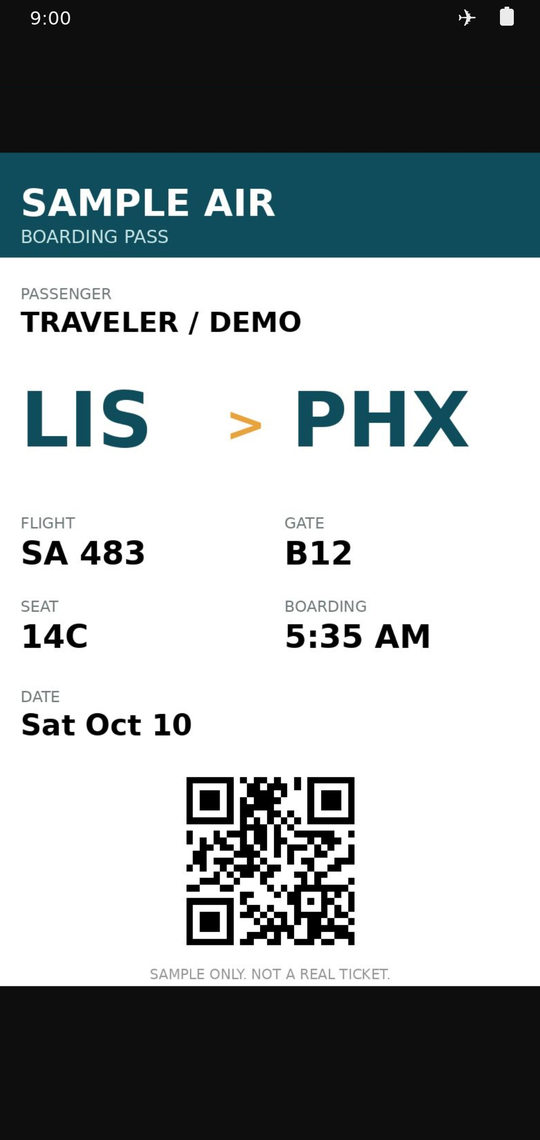
Your ticket, one tap away. Even with zero bars.
TraKit keeps every day of your trip on your phone: tickets, directions, packing, budget and emergency numbers. No account to make. Nothing in the cloud. It opens in airplane mode.
Opens in your browser. Nothing to download.
No account. No cloud. No AI.
Your trips live on your device and nowhere else. You decide where your backups go.
Everything the trip needs, in the order you need it
Built for the moment you're standing in line, holding a bag, and need one thing fast.
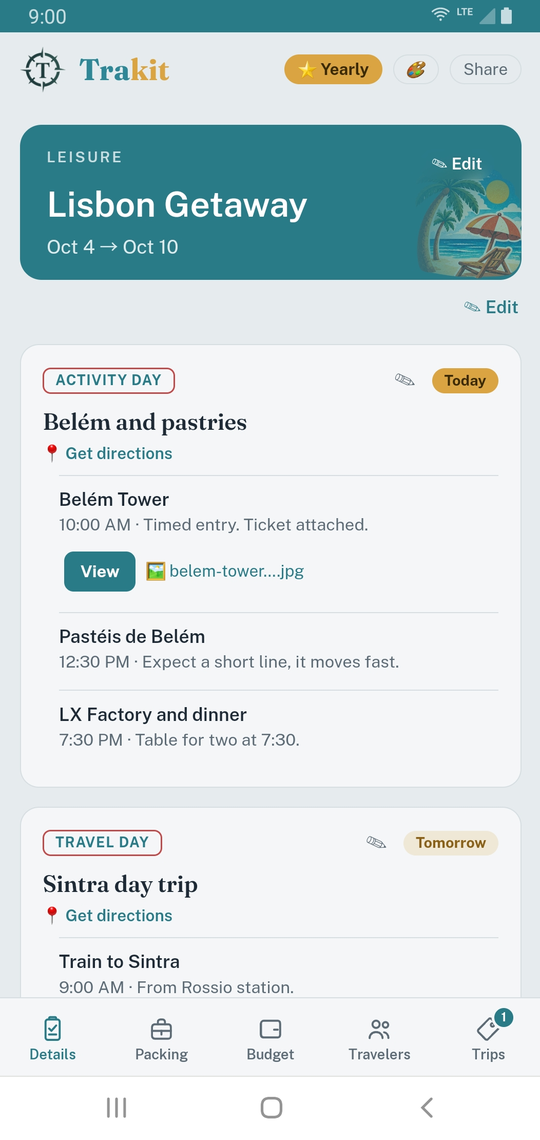
Today comes first
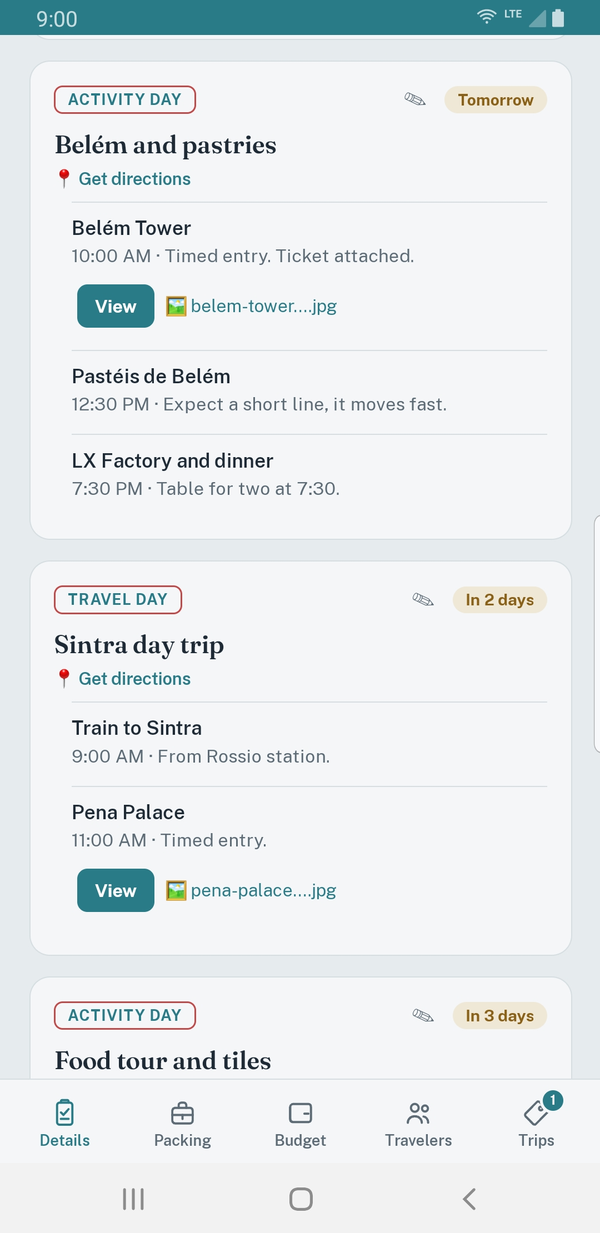
Open the app and the current day of your trip is at the top, so you're never scrolling past last week to find tonight.
Tickets live inside each day
Attach boarding passes, reservations and receipts to the day they belong to. Tap View. No digging through email, downloads or screenshots.
Directions where you need them
Hotel and stop addresses open straight in your maps app, right from the day's card.
Packing lists that fit the trip
Cruise, road trip, outdoors or a city weekend: start with a list built for it, then check things off for each traveler.
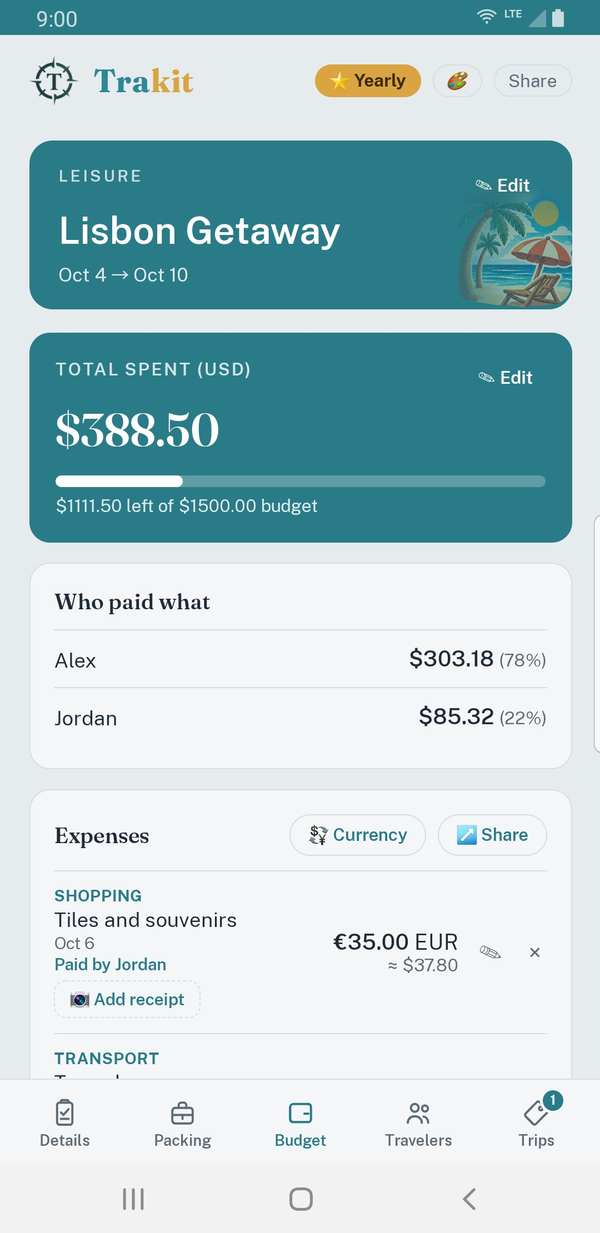
A budget that converts for you
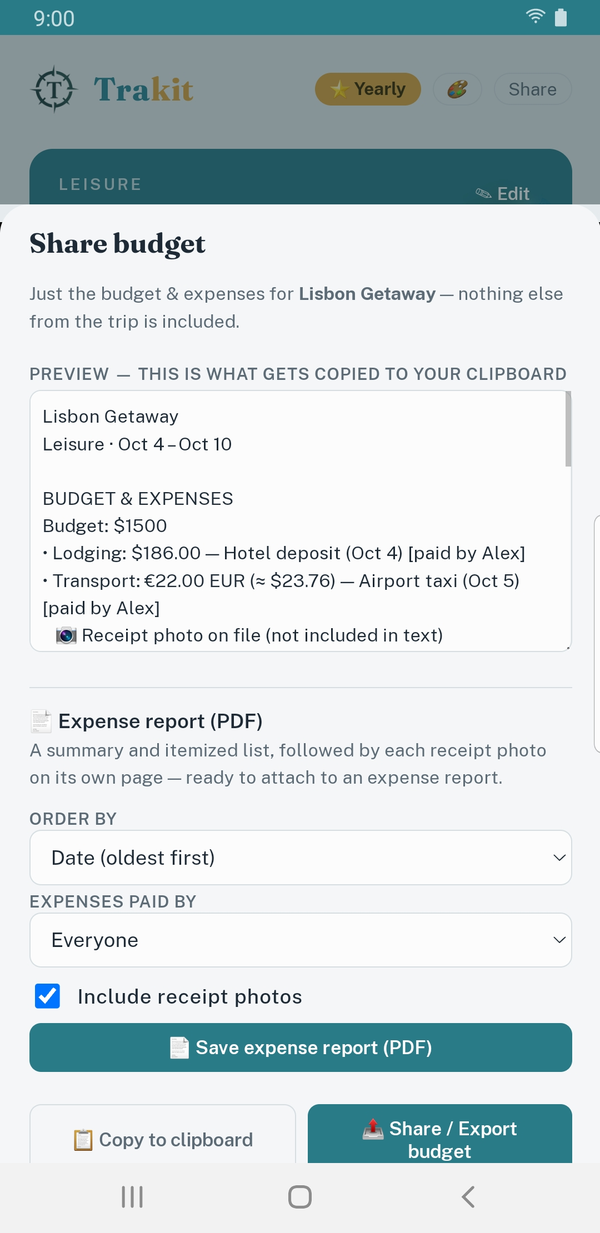
Log expenses in any currency and see them in yours. When it's time to file, export a PDF expense report with every receipt organized and attached.
Emergency numbers for every stop
Local emergency, embassy and consulate numbers saved with each location, ready when plans change.
Ten looks, one for each trip
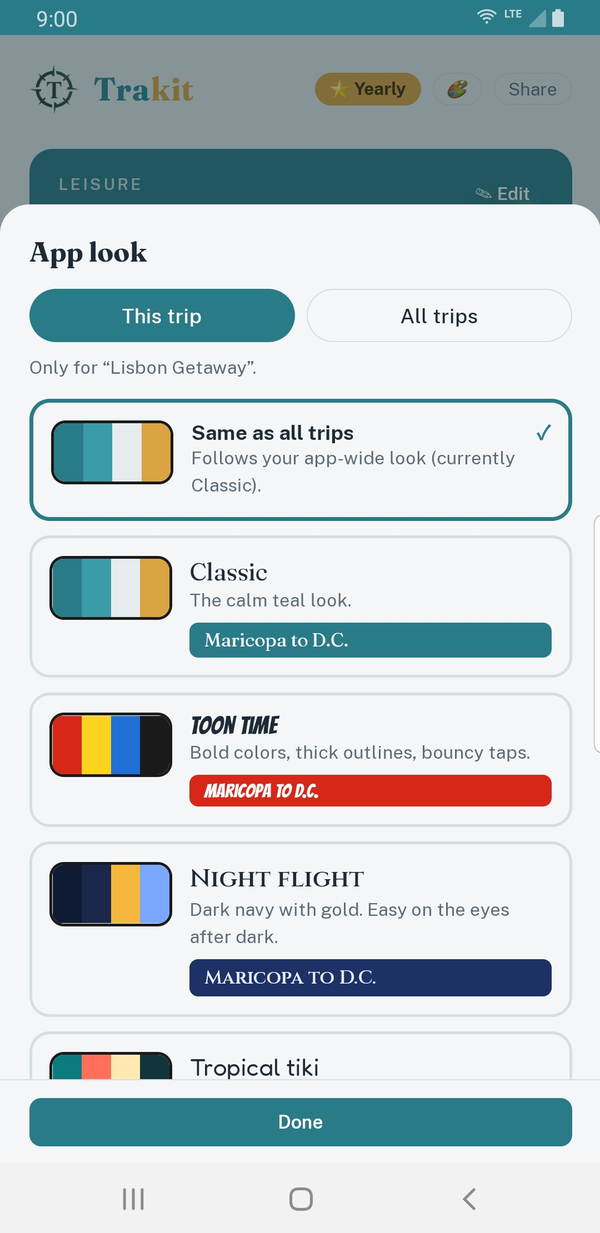
Night flight, Tropical tiki, Blueprint, Retro diner and more. Pick a look for the whole app or give each trip its own.
See it on a real trip
Private by design, not by promise
There's no server holding your itinerary, because there's no server. Passport numbers, confirmation codes and receipts stay on your phone. Because it runs from your device, you can pull up a ticket in a tunnel, on a ship or at a border with no connection.
| TraKit | Typical app | |
|---|---|---|
| Account required | No | Usually |
| Where your trips live | Your device | Company servers |
| Tickets without signal | Yes | Often not |
| AI reading your plans | Never | Increasingly |
On your home screen in ten seconds
TraKit isn't in an app store. That's how it stays free of accounts and tracking. You add it from your browser and it works like any other app.
Open it
Go to trakit.travel on your phone and start a trip. No sign-up.
Add it to your home screen
iPhone: tap Share, then Add to Home Screen. Android: open the browser menu, then Install app.
Go offline
Plan with a connection, then use it anywhere. Your trips are already on the phone.
Pay for what you use
Try everything first. Keep one trip, or keep them all.
Every trip
Unlimited trips for a year. Best for people who travel more than once.
Get the yearly passOne payment, no account, no subscription to manage elsewhere.
Questions travelers ask
What if I clear my browser data or lose my phone?
Because nothing is stored in the cloud, backups are yours to make. Export your trips to a file and save it wherever you like, such as your files app, email or a drive. Importing it restores everything.
Does it really work with no signal?
Yes. After your first visit, the app itself and your trips are saved on your phone, so you can open days, tickets and packing lists in airplane mode. Features that need the internet, like fetching fresh currency rates, wait until you're back online.
Why isn't it in the App Store or Google Play?
Installing from your browser keeps it free of accounts, tracking and store middlemen, and gets you updates instantly. It still sits on your home screen and opens full screen like any app.
Can I use it on two phones, or share a trip?
Yes, by file. Export a trip and send it to a travel companion or your other device, and they import it. There's no automatic sync, because that would mean storing your trip on a server.
What does paying get me?
$5 saves one trip permanently. $20 covers unlimited trips for a year. Both unlock keeping, editing and exporting your trips.